
Add DMP Web App + Social Logins
Table of Contents[Hide][Show]
Add DMP Web App To Your Phone
While we don’t have an official app that needs to be downloaded from the app store, your membership can be accessed from any device – a computer, laptop, tablet or your smartphone. And you can easily save our web app on your phone.
Follow the instructions below for iphone or android phones. NOTE: Your screen may look slightly different depending on your phone, but overall the process will be similar.
1. Open the Safari browser
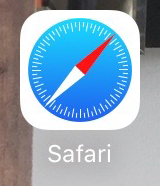
2. Type in the DMP members website URL into the browser.
DMP Members Site: https://dmpmembers.com
3. Press on the arrow icon at the bottom of the screen

4. Click on ‘Add to Home Screen’
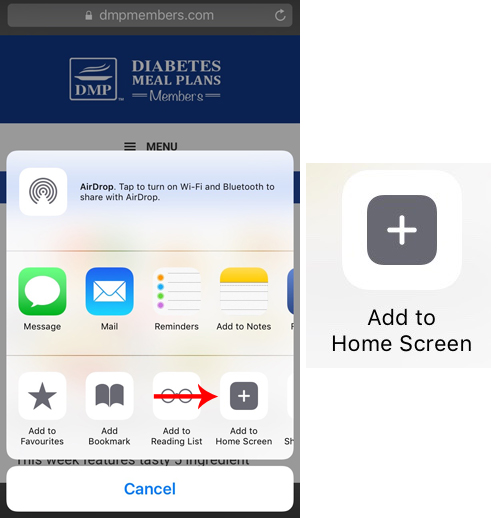
5. Change name, then add.
1. First change the name to something shorter.
For Members Site use: DMP Members
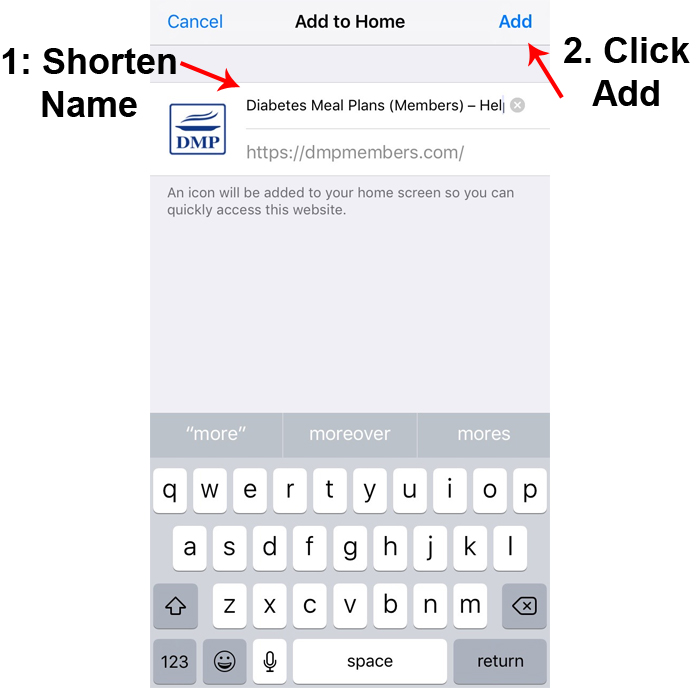
2. Click on ‘Add’ and the DMP icon will be added to your screen.
DMP Members is a white icon.
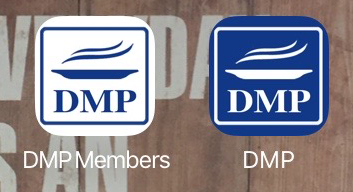
When you need to access the sites, simply click on the app icons.
Android Phones
1. Open the Chrome browser

2. Type in the DMP Members website URL into the browser.
DMP Members Site: https://dmpmembers.com
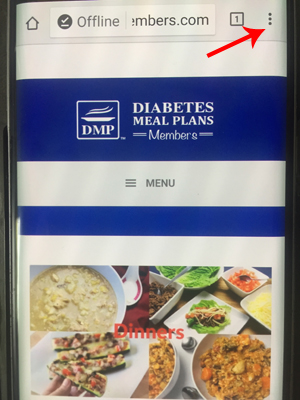
3. Click on dots in top right of screen.
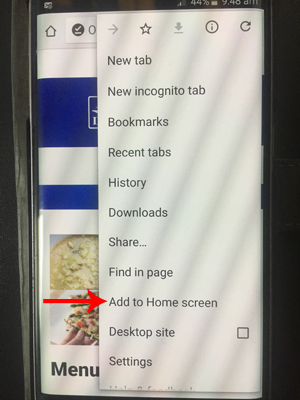
4. Click on ‘Add to Home screen’
5. Change the name
Change the name to something shorter.
For Members Site use: DMP Members
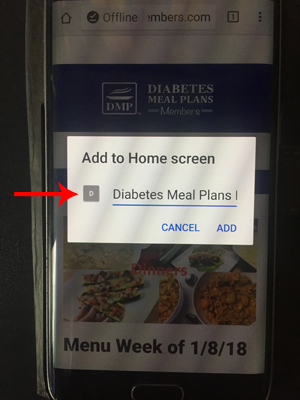
6. Click on ‘Add’
The DMP icons will be added to your screen.
DMP Members is white icon.
When you need to access the sites, simply click on the app icons.
Social Logins for Easy Site Access
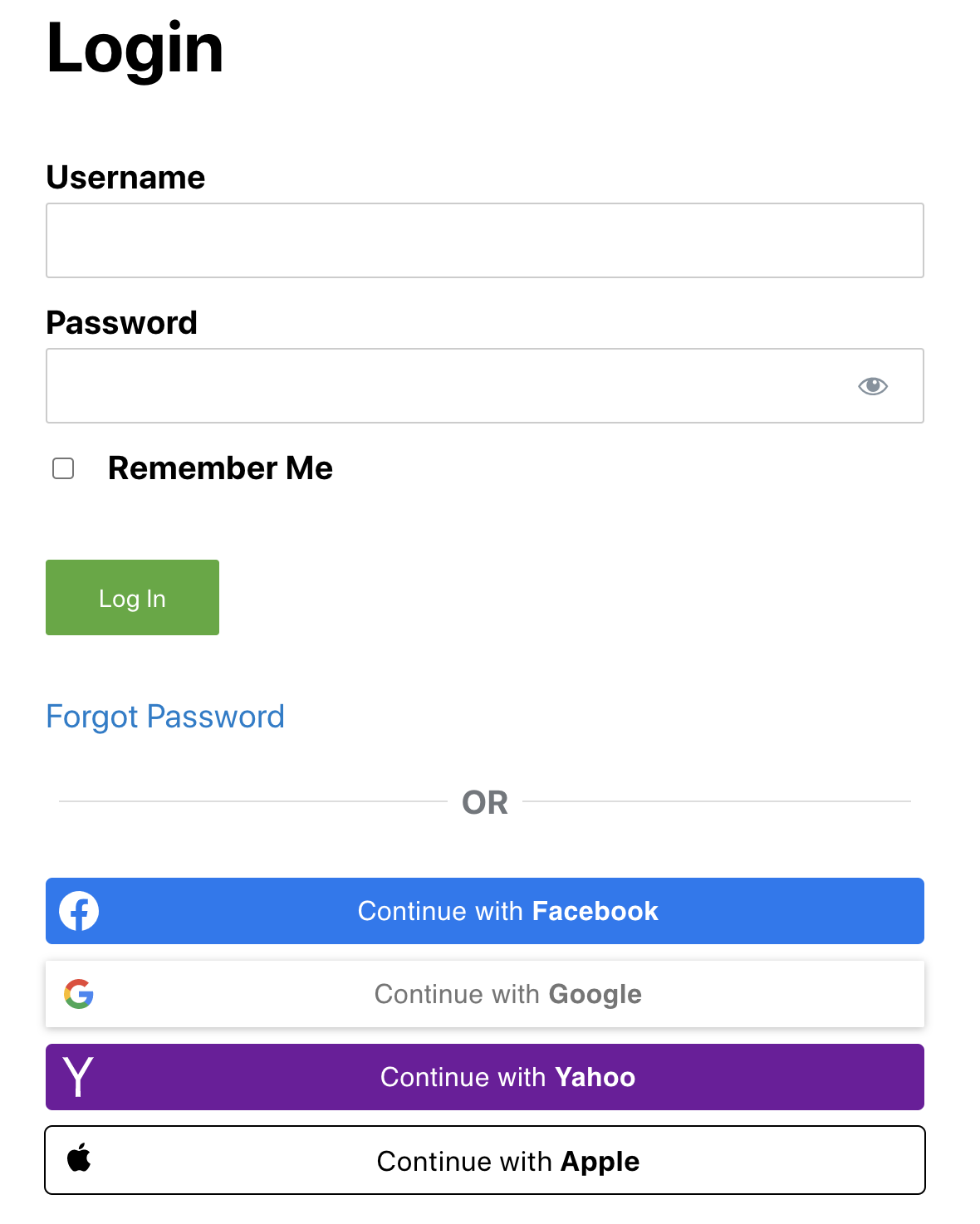
Remembering lots of different passwords can be a headache, so you can always login to the DMP Members site using social logins – Gmail, Yahoo, Facebook or Apple.
To use the social logins, simply click the social button you wish to use from the members login page (on any device), then follow the prompts on your screen.
NOTE: The email address needs to be the same one used on your social accounts as the one used in your DMP registration/account. If you need to update your email address, you can do this via your account page or by contacting us.